GST and tax ready
Set tax and discount on each line. Invory works out the subtotal, tax by rate and grand total to the paisa, and prints your GSTIN.
Create professional, GST-ready invoices in under a minute. Add a UPI QR code, track part payments, and download a clean PDF. Built for freelancers and small businesses. No account needed.
Made for freelancers, creators and small businesses of every kind
Features
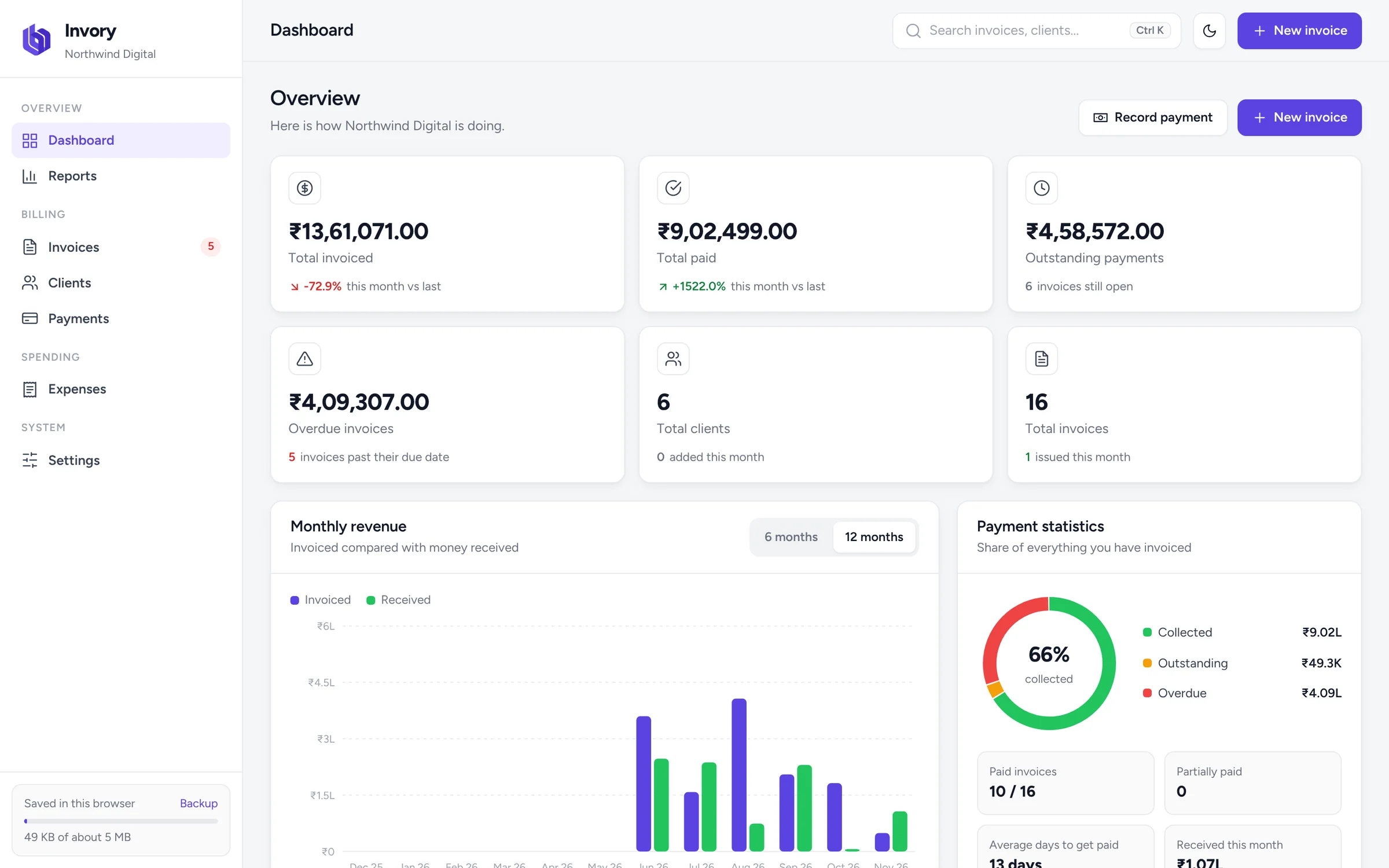
Invory brings invoicing, payments, clients, expenses and reports together in one simple, free tool that runs in your browser.
Set tax and discount on each line. Invory works out the subtotal, tax by rate and grand total to the paisa, and prints your GSTIN.
Your client scans the QR on the PDF and their UPI app opens with your UPI ID and the exact amount due filled in.
Save several bank accounts with IFSC or SWIFT and choose which one prints on each invoice, or none at all.
Record full or part payments. Paid, Partially paid, Unpaid and Overdue update by themselves, and so does the balance due.
Keep every client's details, invoice history and outstanding balance in one place. New clients are saved as you bill them.
Log expenses by category and see monthly income, expenses and real profit in reports you can export to PDF or CSV.
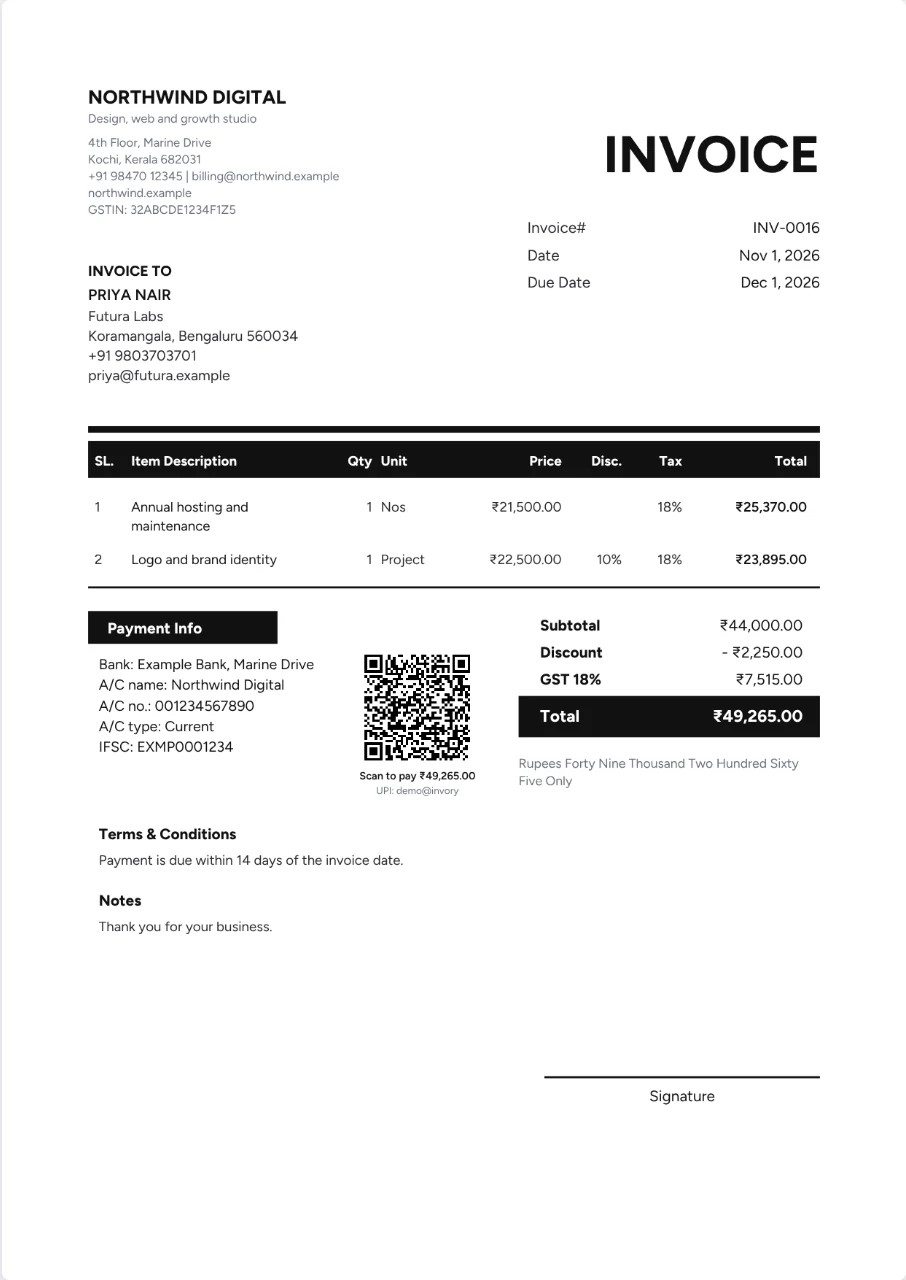
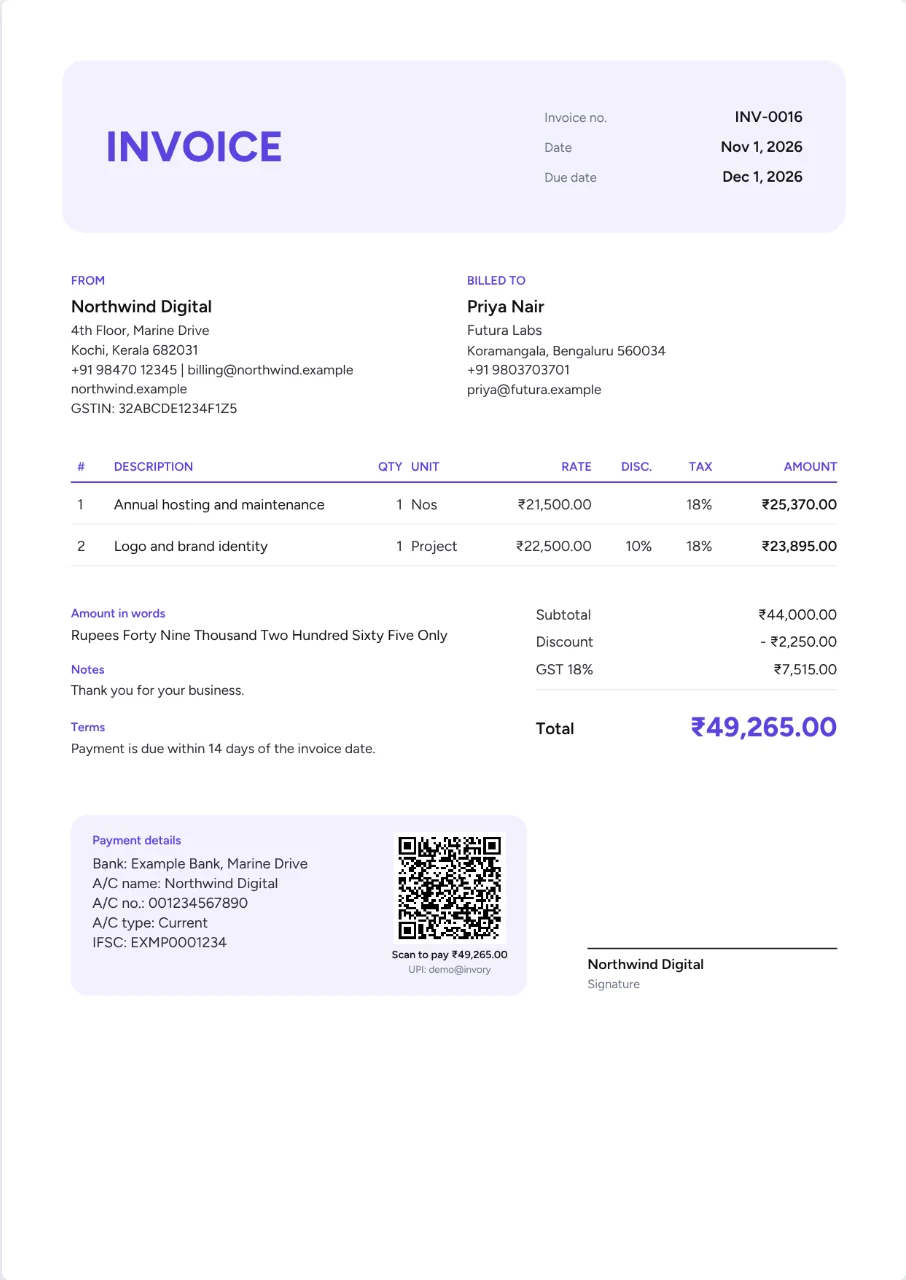
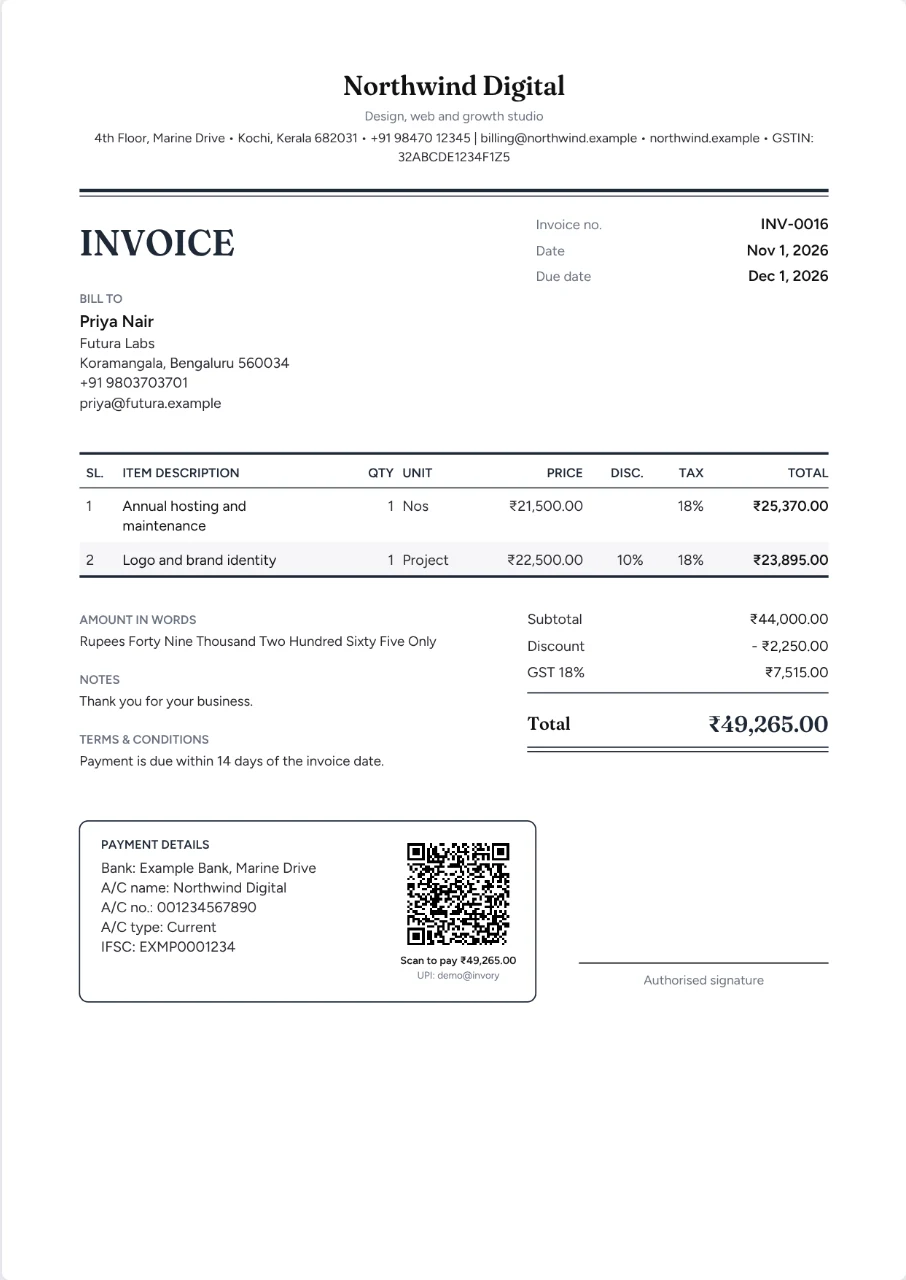
Mono, Modern and Classic, each with your choice of colour. The live preview matches the downloaded PDF exactly.
Add your company logo and draw or upload your signature. Turn either on or off for any invoice.
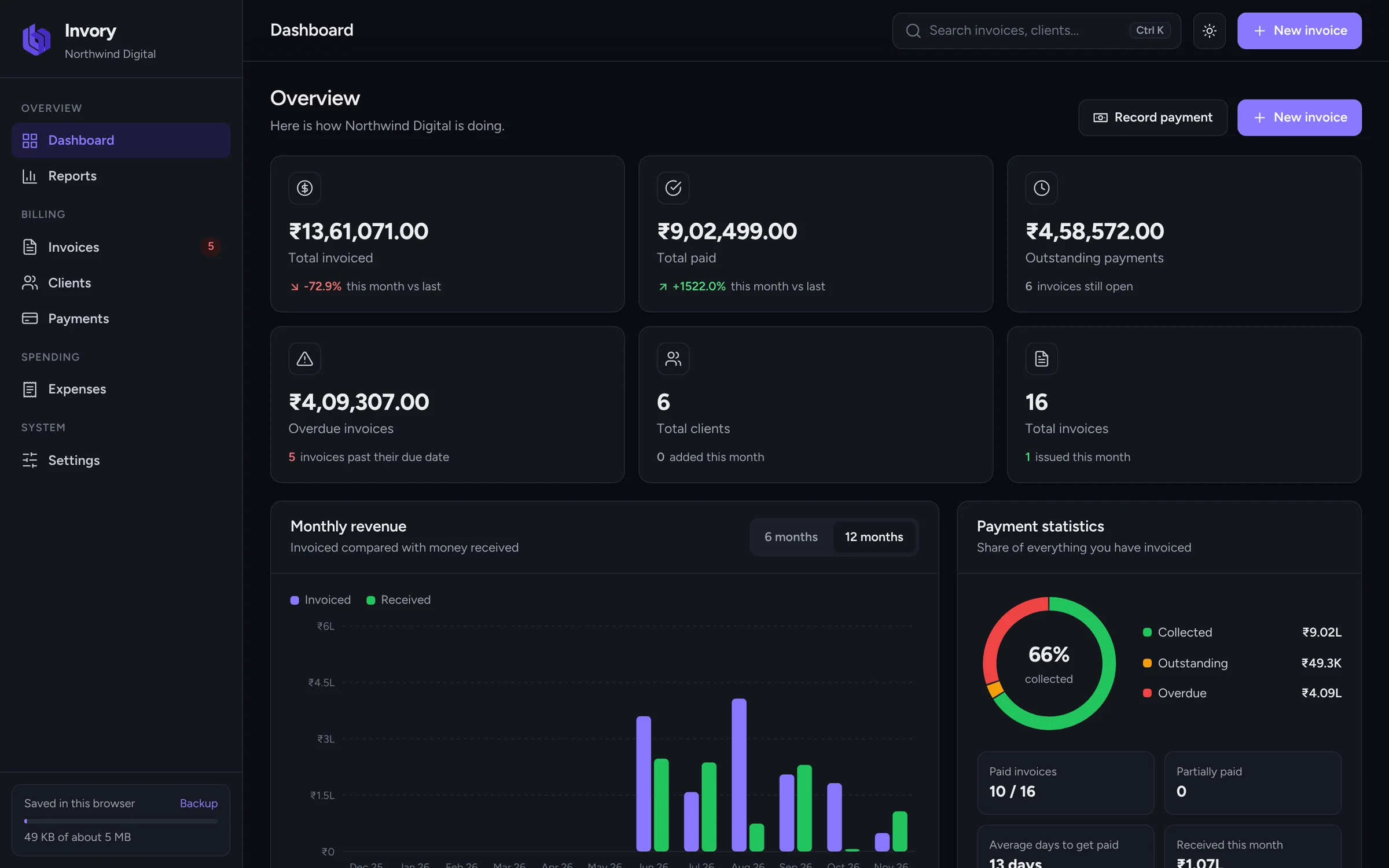
Your data stays in your own browser. No account, no server, no tracking. Export a backup file whenever you like.
INV-0001, INV-0002 and on, with your own prefix and format. Numbers never clash or repeat.
Bill in INR, AED, USD, GBP, EUR, SAR and more, with Indian lakh and crore formatting and amounts in words.
No trial, no premium tier, no watermark on your invoices. Invory is free to use for as many invoices as you need.
Inside Invory
Real screens from Invory. What you see here is exactly what you get, free.
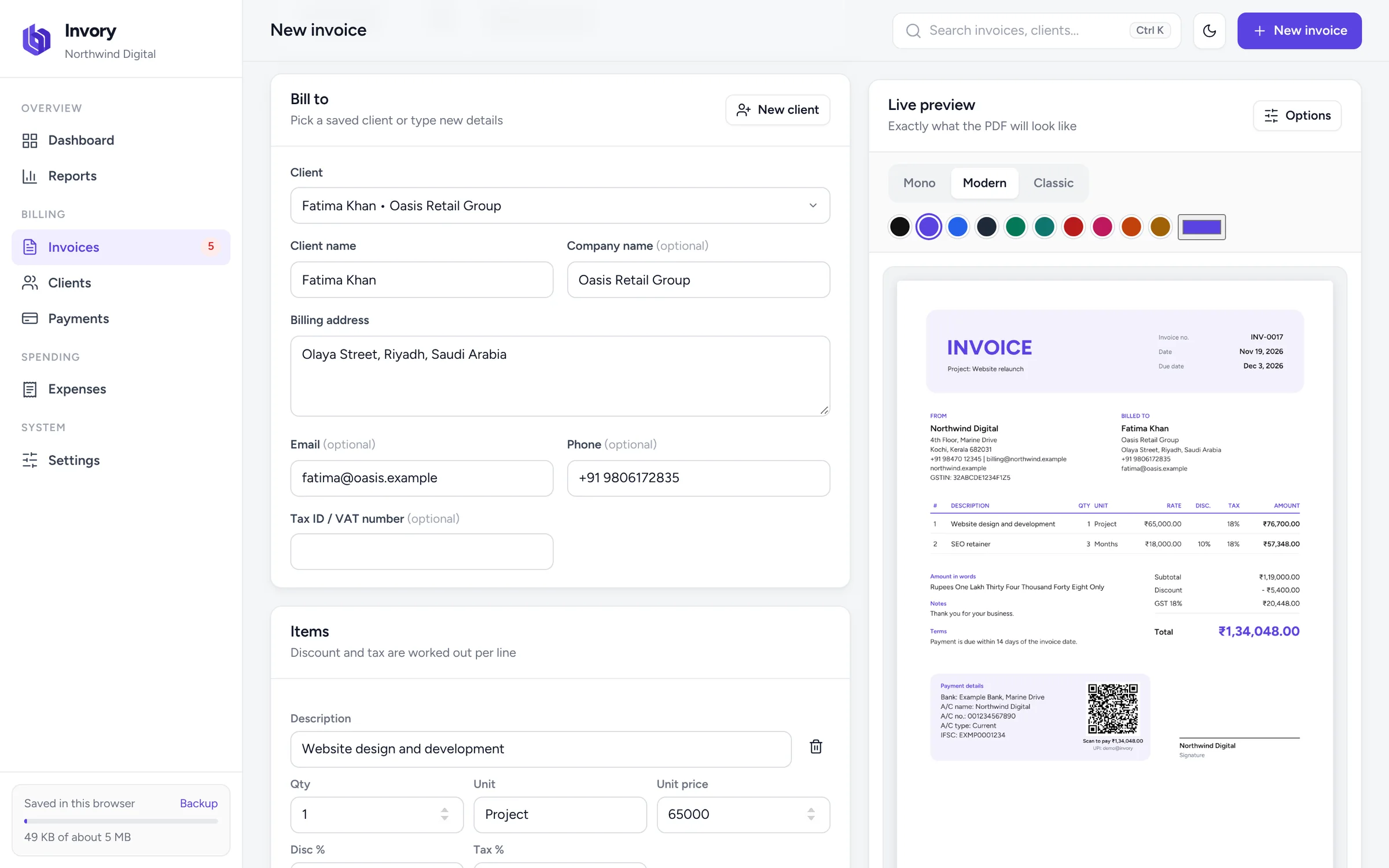
Pick a client, add your items and watch the PDF build itself as you type. Change the template or colour with one click.
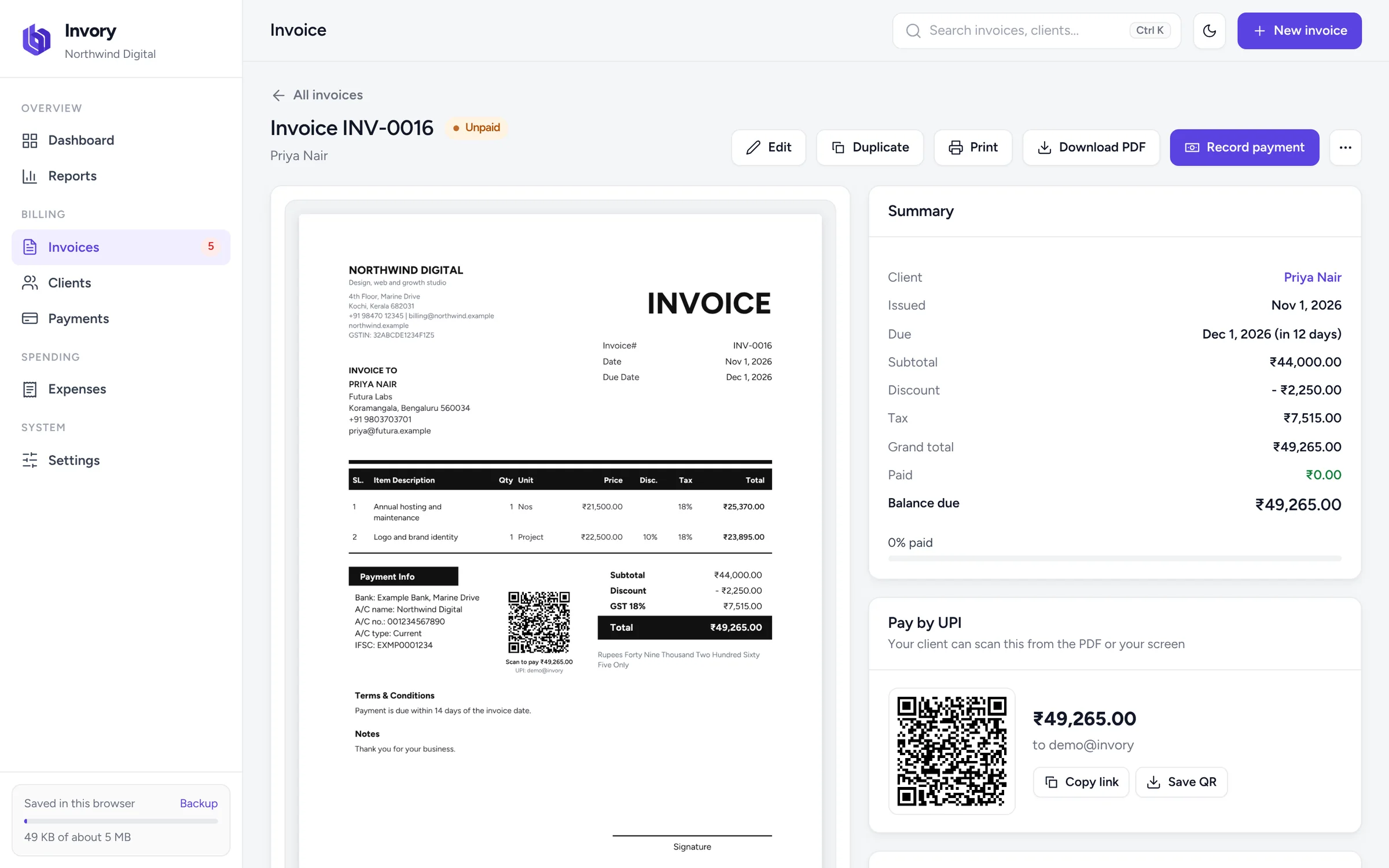
Every unpaid invoice can carry a UPI QR code for the exact balance. Record part payments and the code updates to what is still due.
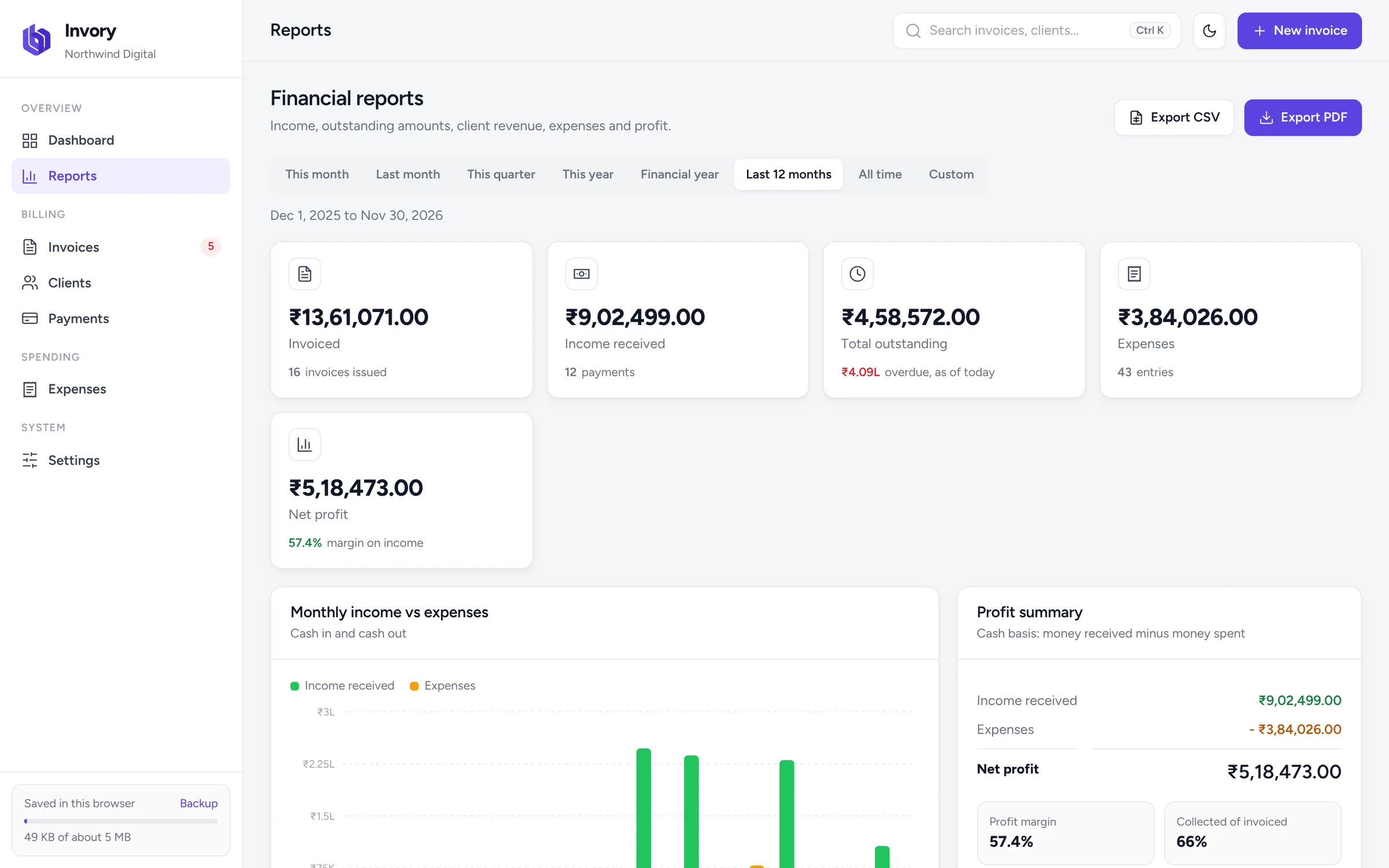
Reports show what came in, what went out and what is still owed, month by month and client by client.
Invoice templates
Three clean A4 layouts. Choose any colour, add your logo and signature, and download a print-ready PDF with selectable text.
How it works
No sign-up, no download, no learning curve. Open Invory and start billing.
Enter your company name, logo, GSTIN, bank account and UPI ID once. Invory remembers them.
Choose a client, add items with quantity, rate, discount and tax. Totals and the invoice number are automatic.
Download the PDF or print it, share it with your client, and record payments as they come in.
Who it is for
Bill clients for projects, hours or retainers, in INR or foreign currency, and see who still owes you.
Learn moreFree billing software for shops and service businesses, with GST, payments, expenses and profit reports.
Learn moreProfessional invoices with your logo, signature and bank details, and reports by client.
Learn moreInvory is free for every freelancer and business. If you need something built around your company, the team behind Invory can help.
For freelancers and small businesses
₹0forever
Create free invoiceBilling software made for your workflow
Let's talk
Contact CodertipsterFAQ
Everything you need to know about Invory, the free invoice maker and billing software.
Yes. Invory is completely free. There is no trial, no paid tier and no watermark on your invoices. You can create as many invoices, clients and payments as you need.
No. Open Invory in your browser and start creating invoices straight away. There is no login, no email verification and no password to remember.
Yes. Besides invoices, Invory tracks payments, part payments, overdue invoices, clients and expenses, and shows reports for monthly income, outstanding amounts, client-wise revenue and profit.
Yes. You can set a GST rate on each item, show your GSTIN and your client's GSTIN, and title the document Tax Invoice. Tax is totalled by rate on the invoice. Invory does not yet split CGST and SGST or add HSN codes, so check with your accountant if your filings need them.
Add your UPI ID in Settings. Every unpaid invoice then carries a QR code for the exact amount due. When your client scans it with GPay, PhonePe, Paytm or any UPI app, the payment screen opens with your UPI ID, the amount and the invoice number filled in.
Yes. Freelancers can bill by project, hour, day or month, add discounts, bill in 19 currencies including USD, GBP and AED, and keep track of which clients still owe money.
Your data stays in your own browser on your device. Nothing is sent to a server, and Invory has no account to hack. Export a backup file from Settings regularly, because clearing your browser data or switching devices starts empty.
Yes. Upload your logo, draw or upload your signature, and save one or more bank accounts with IFSC or SWIFT codes. You can turn each of these on or off for any invoice.
Yes. Every invoice downloads as an A4 PDF with real, selectable text, and you can print directly from Invory. Choose from three templates and any colour.
Yes. Invory runs in any modern browser on desktop, tablet or phone, and keeps working without an internet connection once it has loaded.
Invory is made by Codertipster Technologies, an IT company in Kochi, Kerala, that builds websites, apps, e-commerce stores and software for clients in India, the UAE, the UK and Saudi Arabia.

No sign-up, no credit card, no watermark. Just open Invory and create a professional invoice.
Create free invoiceMade by Codertipster
Invory comes from Codertipster Technologies, an IT solutions company that builds websites, mobile apps, e-commerce stores and custom software for businesses across India, UAE, UK and Saudi Arabia. We made Invory free so every freelancer and small business can send professional invoices.