How to create an invoice online for free
Making an invoice with Invory takes three short steps, and you never have to sign up.
- Add your business details once. Your company name, address, logo, tax number and bank account are saved for every invoice after that.
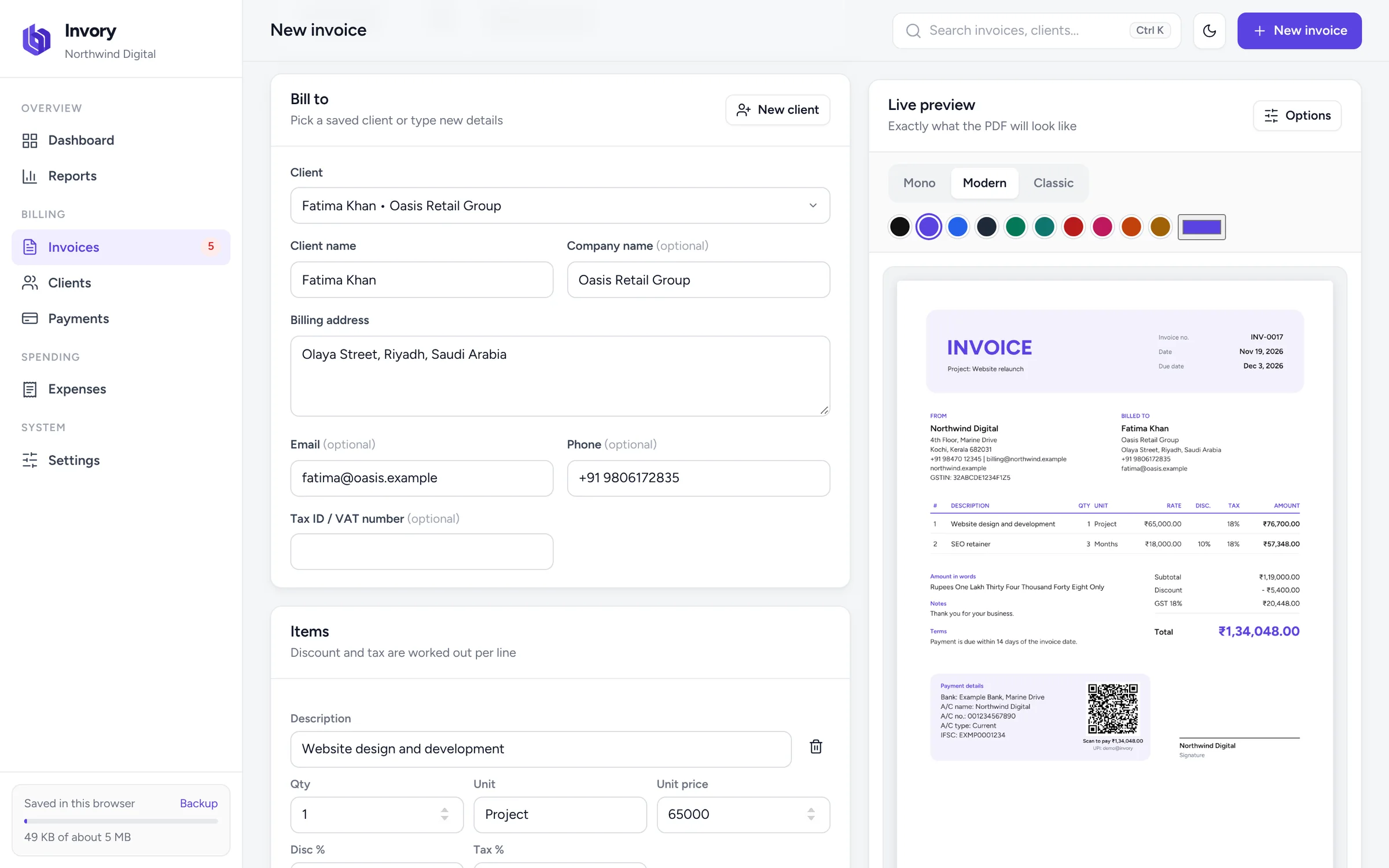
- Fill in the invoice. Pick a client or type new details, then add each item with its quantity, unit price, discount and tax rate. The subtotal, discount, tax and grand total update as you type.
- Download or print. Get an A4 PDF with selectable text, or print it straight away. The invoice number moves on by one for next time.
Why use Invory as your invoice maker
Many free invoice generators ask for your email, limit you to a few invoices, or stamp their brand on your PDF. Invory does none of that. It also does more than a simple template: it remembers your clients, tracks what has been paid, and shows what is overdue.
Accurate totals, every time
Invory calculates in exact paise, so a line of 3 × ₹1,499.99 with 10% off and 18% GST always comes to ₹4,778.96. Tax is totalled by rate on the invoice, and the amount is written in words, in lakh and crore for rupees.
Invoices that look like your brand
Choose between the Mono, Modern and Classic templates and any colour you like. Add your logo and signature, rename the document to Tax Invoice, Proforma Invoice or Bill, and decide which bank account to show.
Get paid faster
Add your UPI ID and each unpaid invoice gets a QR code for the exact balance due. Your client scans it with any UPI app and pays in seconds. When money arrives, record the payment and Invory updates the status and balance.
A free invoice template, but smarter
An invoice template in Word or Excel leaves the maths and numbering to you. Invory gives you the same clean layout with the calculations, numbering, client details and payment tracking built in, and it still produces a standard PDF your clients can open anywhere.